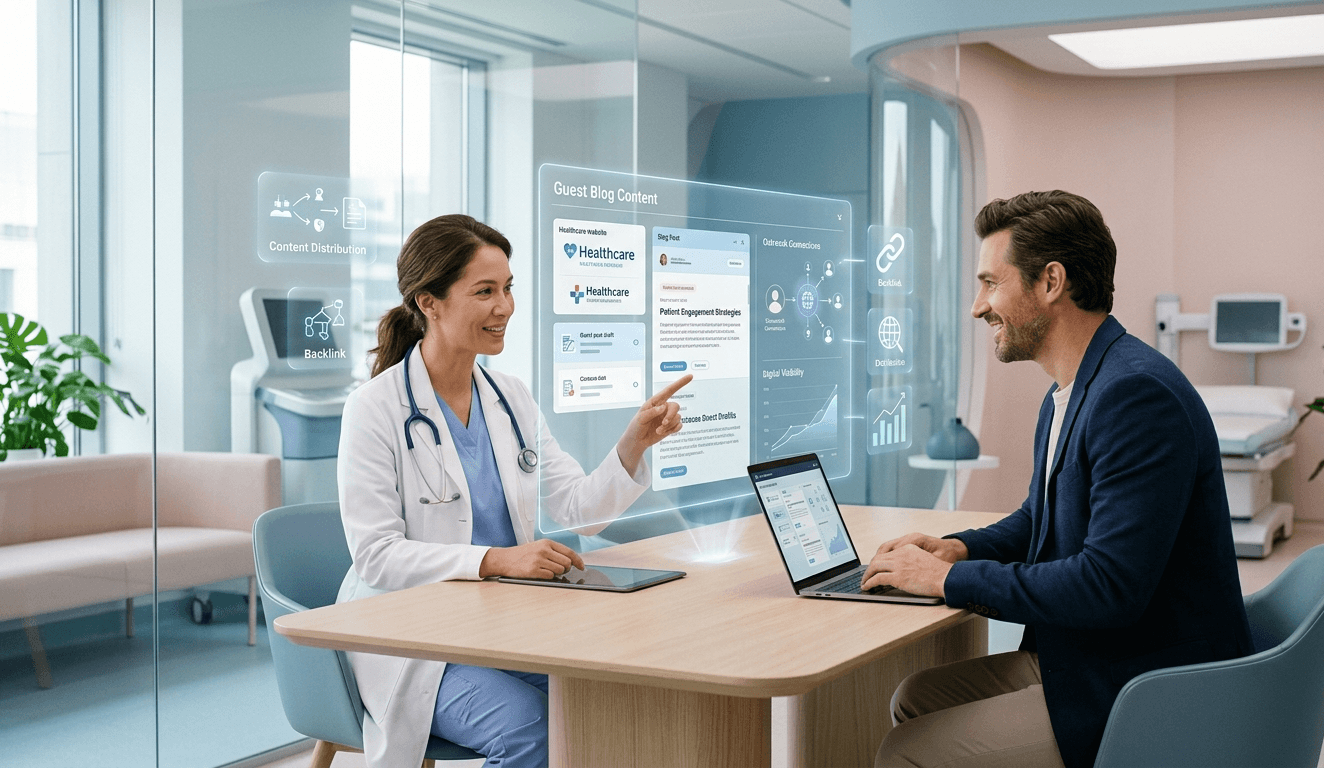

“Save time and grow your practice with Healthcare Marketing Automation to streamline reviews, patient reminders, and lead nurturing on autopilot.”
The phone rings. A patient waits at the front desk. Your inbox has 40 unread messages. And you still have a full day of appointments ahead of you.
If you run a medical practice, you know this scene well. The administrative burden of healthcare often threatens to overshadow the actual care. You want to grow your clinic, see more patients, and offer better services, but there are only so many hours in the day. Your staff is already stretched thin. Adding “more marketing” to their to-do list feels impossible.
This is where healthcare marketing automation steps in.
It isn’t about replacing the human touch. It is about removing the repetitive, manual tasks that drain your team’s energy. It is about building a system that works in the background, 24/7, to ensure your patients feel seen, heard, and valued—without you having to lift a finger for every single interaction.
When you use marketing automation for doctors correctly, you stop trading time for growth. You start building an asset that communicates for you.
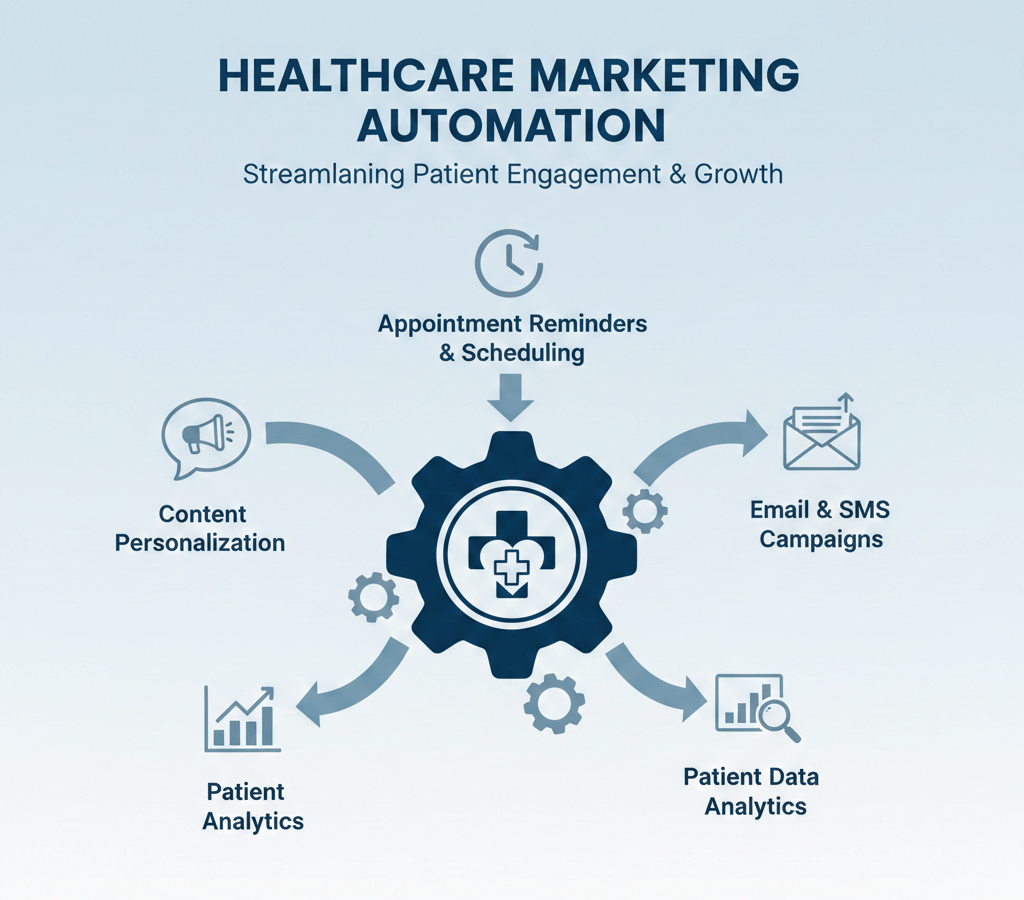
In this guide, we will break down exactly how to set this up. We are going to look at five specific, high-impact workflows that you can install in your practice. These aren’t vague theories. These are practical steps to improve efficiency, boost revenue, and give you your time back.
1. The Post-Appointment Review Sequence
We all know that online reviews are the lifeblood of modern medical practices. Before a new patient even considers calling you, they are looking at your Google rating. They want social proof. They want to know that others trust you.
But getting those reviews is hard.
Asking a patient in person can feel awkward. Your front desk staff might forget to ask during the checkout rush. Or, even if the patient says “yes,” they often forget the moment they walk out the door. The result? You provide 5-star service but stay stuck with a 3-star online presence simply because satisfied patients remain silent.
Patient communication automation solves this problem entirely.
How It Works
Instead of relying on memory or manual emails, you set up a trigger in your CRM for medical practices based on the appointment status. When a visit is marked “Complete,” the automation clock starts.
Step 1: The “Cool Down” Buffer. Don’t send the request the second they leave. Give them 2-3 hours. Let them get home, settle in, and reflect on the visit.
Step 2: The Initial Request (SMS is King) Send a simple text message. SMS has a significantly higher open rate than email. The message should be short, personal, and include a direct link.
- Example: “Hi [Name], thanks for visiting [Practice Name] today. We’d love to hear about your experience. It takes 10 seconds: [Link.].”
Step 3: The Email Follow-up. If they don’t click the link in the SMS, the system waits 24 hours and sends a polite email. This captures people who prefer desktop communication or missed the text.
The “Feedback Gate” Strategy
Smart automated review requests can also help you manage your reputation. The workflow can ask an initial question: “On a scale of 1 to 10, how was your visit?”
- If they score 8-10, the system immediately directs them to your Google Business Profile or Healthgrades page to post that rating publicly.
- If they score 1-7, the system directs them to an internal feedback form. This allows them to vent their frustration directly to you, rather than posting it online. You get a chance to fix the issue privately, saving your public reputation.
Why This Saves Time
Imagine trying to email every patient you saw today manually. It would take an hour. With automation, it takes zero seconds. Your reputation grows on autopilot. You build a wall of social proof that attracts new patients while you sleep.
2. The Multi-Touch New Patient Welcome Series
The time between a patient booking their first appointment and actually walking through your doors is a critical “dead zone.”
This is where buyer’s remorse (or patient anxiety) kicks in. They might worry about the procedure, the cost, or simply getting lost on the way to the clinic. If you stay silent during this gap, no-show rates increase.
A multi-touch new patient welcome series bridges this gap. It warms the patient up, answers their questions before they ask, and positions you as an authority.
The Workflow Blueprint
Touchpoint 1: Immediate Confirmation (0 Minutes) As soon as the appointment is added to the calendar, they receive confirmation. But don’t just send the date and time. Include a “What to Expect” guide. If you are a dentist, explain the first exam. If you are a chiropractor, explain the assessment.
Touchpoint 2: The Logistics Solver (2 Days Before) Nothing causes more stress than parking and paperwork. Send an automated email with:
- A link to digital intake forms (so they don’t have to sit in your waiting room filling out clipboards).
- A Google Maps pin to your parking lot.
- Photos of the front of your building so they can easily recognize it.
Touchpoint 3: Meet the Doctor (1 Day Before) Send a short video introducing yourself. It doesn’t need to be Hollywood quality. Just a quick “Hi, I’m Dr. Smith, looking forward to meeting you.” This builds a parasocial connection. It is much harder to skip an appointment with a person you “know” than with a faceless clinic.
The Efficiency Gain
Think about how many phone calls your front desk fields asking: “Where do I park?” or “Do I need to bring my insurance card?”
This patient journey automation preempts those questions. It reduces call volume. It ensures patients arrive prepped, with forms filled out, ready to go. Your intake process becomes smoother, and your waiting room backlog disappears.
3. Lead Nurturing for High-Value Services
Not every visitor to your website is ready to book immediately. This is especially true for elective or high-ticket procedures like LASIK, cosmetic surgery, orthodontics, or functional medicine programs.
These are “leads,” not yet patients. They might fill out a form to download a pricing guide or ask a question. If your only move is to call them once and then give up, you are leaving massive revenue on the table.
You need lead nurturing for patients. This is a system that educates and gently guides the prospect toward a decision over time.
The Educational Drip Campaign
Let’s say a potential patient downloads a guide on “The Benefits of Invisalign.” They are interested, but the price may scare them.
Email 1: Value Delivery: Deliver the requested guide. No sales pitch yet. Just helpful information.
Email 2: Problem/Agitation (2 Days Later) Address the pain points. “Are you tired of hiding your smile in photos?” Validate their feelings. Show them you understand the problem.
Email 3: The Solution & Social Proof (4 Days Later) Showcase before-and-after photos. Share a case study of a patient who was hesitant but is now thrilled with their results. Use automated email marketing for healthcare to tell stories, not just list features.
Email 4: Handling Objections (7 Days Later) Address the cost directly. Explain financing options or payment plans. Break the large number down into a monthly figure that looks manageable.
Email 5: The Soft Offer (10 Days Later). Invite them for a free consultation.
Scoring Your Leads
Advanced CRM for medical practices can assign “points” to these leads.
- They opened an email? +5 points.
- They clicked a link? +10 points. Did they visit the pricing page? +20 points.
When a lead hits a specific score (e.g., 50 points), the system alerts your staff: “Call John Doe now, he is hot.” This ensures your team focuses its energy only on the people most likely to buy, rather than cold-calling lists of uninterested strangers.
4. The Reactivation Campaign for Dormant Patients
The most valuable asset in your practice is not your equipment or your office space. It is your patient database.
Yet, most practices ignore their past patients. They focus 100% of their budget on acquiring new strangers from Google or Facebook. This is expensive. Marketing to existing patients is cheaper and converts better.
Patient reactivation campaigns are designed to find those people who haven’t seen you in 6, 12, or 18 months and bring them back.
The “We Miss You” Logic
You can segment your list by last visit date.
Workflow Idea: The Annual Check-up Reminder. If a patient hasn’t been in for 12 months, the system triggers a friendly nudge. “Hi Sarah, it’s been a year! Time for your annual skin check/cleaning/exam. Click here to grab a spot.”
Workflow Idea: The “Use It or Lose It” End-of-Year Push. In October and November, automation is your best friend. Send a blast to patients with insurance benefits. Remind them that their deductible resets on January 1st. This creates urgency. Practices that use this time-saving marketing for doctors often see their December calendar fill up within hours of sending the email.
Workflow Idea: Birthday Automation. A simple “Happy Birthday” text with a small offer (e.g., 10% off a facial or a free toothbrush) goes a long way. It keeps you top-of-mind. It feels personal, even though a robot sent it.
Why It Works
These patients already know you. They trust you. They don’t need to be “sold.” They just need to be reminded. Automation ensures no patient slips through the cracks, even when you’re too busy to notice they haven’t visited in a while.
5. Automated Appointment Reminders
No-shows are the silent killer of practice profitability.
When a patient ghosts an appointment, you lose revenue you can never recoup. You still have to pay for the staff, the lights, and the rent for that hour.
Manual confirmation calls are ineffective. People don’t answer their phones during the day. They let it go to voicemail and then forget to listen to it.
Automated appointment reminders are mandatory for improving medical practice efficiency.
The Strategic Cadence
Sending one reminder isn’t enough. You need a sequence.
7 Days Before: Email reminder. “Your appointment is coming up next week. Need to reschedule? Click here.” (Giving them an easy way to reschedule early allows you to fill that slot with someone else).
48 Hours Before: SMS reminder. “Confirming your appointment for Tuesday at 2 PM. Reply ‘C’ to confirm.”
24 Hours Before: Final urgency reminder.
2 Hours Before: The “Wayfinding” text. “See you soon! Here is the link to our parking lot.”
Two-Way Integration
The best automation tools write back to your scheduler. When the patient replies “C” to the text, the software updates your calendar to “Confirmed” automatically. Your front desk staff doesn’t have to listen to voicemails or manually update the screen. They can look at the schedule and instantly see who is coming and who isn’t.
If a patient replies “Cancel,” the system can automatically alert the front desk or even trigger a “waitlist” sequence to text other patients who wanted that slot.
Why You Can’t Do This Manually
You might be reading this and thinking, “I can just tell my receptionist to do these things.”
But let’s be honest. Will they?
Will they remember to send the review request exactly 3 hours after the appointment? Will they remember to send the “What to Expect” email 2 days before every single new patient arrives? Will they consistently follow up with leads five times over two weeks without getting discouraged?
No. Because they are human. They get busy—the phone rings. A patient complains.—A printer breaks. The proactive marketing tasks are always the first things to get dropped when the clinic gets busy.
Automation doesn’t have bad days. It doesn’t call in sick. It doesn’t forget. It executes the strategy perfectly, every single time.
This consistency is what builds trust. When a patient sees that your communication is organized and reliable, they assume your medical care is, too.
The Role of a Strategic Partner: InvigoMedia
Understanding the theory of automation is one thing. Implementing it is another.
Setting up these workflows requires technical skill. You need to connect your Electronic Health Records (EHR) to your marketing software. You need to write the scripts, design the emails, set the triggers, and ensure HIPAA compliance.
If you try to piece this together with five different software tools and a DIY attitude, you will likely end up frustrated. You might create a “Frankenstein” system that breaks constantly.
This is where InvigoMedia comes in.
InvigoMedia isn’t just a software vendor. We are a strategic growth partner for medical practices. We understand the nuances of the patient journey. We know that a plastic surgeon needs a different nurturing sequence than a dentist.
We help you:
- Map the Strategy: We look at where you are losing time and money.
- Build the Infrastructure: We implement healthcare marketing automation tools tailored to your specific practice.
- Create the Content: We help craft emails and texts that sound like you, not a robot.
- Monitor and Optimize: We watch the data. If an email isn’t getting opened, we fix it. If a workflow isn’t converting, we tweak it.
We take the technical weight off your shoulders. You focus on treating patients. We focus on ensuring your schedule is full and your reputation is pristine.
Conclusion
The healthcare industry is changing. Patients expect the same level of digital convenience they get from Amazon or Uber. They want instant confirmations, text reminders, and easy communication.
If your practice relies on sticky notes and phone tag, you are falling behind.
Marketing automation is not about being lazy. It is about being efficient. It allows you to provide a high-touch experience for thousands of patients without burning out your staff.
By implementing these five workflows—reviews, welcome series, lead nurturing, reactivation, and reminders—you build a resilient practice. You create a system that generates revenue and saves time simultaneously.
Don’t let another lead slip away. Don’t let another empty slot ruin your profitability. Embrace automation and get back to doing what you do best: changing lives.
Ready to Reclaim Your Time?
If you are tired of the administrative grind and ready to modernize your practice, InvigoMedia is here to help. Let’s build a practice that runs smoothly, grows consistently, and gives you the freedom you deserve.
Contact InvigoMedia Today for a Strategy Session
FAQs
1. Is marketing automation impersonal?
No. In fact, it allows you to be more personal. By automating logistics (reminders, forms, directions), your staff has more time to have meaningful, face-to-face conversations with patients in the office. Furthermore, automation allows you to send birthday wishes and check-ins to thousands of people—something you couldn’t do manually.
2. Is this compliant with healthcare privacy laws (HIPAA/GDPR)?
Yes, but you must use the right tools. Standard marketing tools often lack the necessary security encryption for healthcare data. You need a CRM for medical practices that is specifically designed to securely handle patient data. Partners like Invigo Media specialize in ensuring these workflows meet all regulatory standards.
3. Will this replace my front desk staff?
No. Automation replaces tasks, not people. It takes the boring, repetitive data entry and confirmation calls off their plate. This frees your staff to focus on high-value activities like triage, complex patient questions, and in-office hospitality.
4. How long does it take to see results?
Some results are immediate. Automated appointment reminders can reduce no-shows within the first week. Review request workflows often start generating new 5-star reviews within days. Lead nurturing and reactivation campaigns typically show ROI within 30 to 60 days as the pipeline matures.
5. What if I am not tech-savvy?
That is precisely why you shouldn’t do it alone. The concept of automation is simple, but the setup can be complex. Working with an agency like Invigo Media ensures the tech is handled for you, so you simply reap the benefits without needing a degree in computer science.
6. Can automation really help with clinical outcomes?
Indirectly, yes. By automating follow-up instructions and reminders, patient compliance often improves. Patients are more likely to follow post-op care or take medication if they receive timely, automated nudges and educational content. Better communication leads to better adherence, which leads to better health outcomes.
7. Does this work for small practices?
Absolutely. Small practices benefit the most. If you have a small team, you don’t have the luxury of a dedicated marketing department. Automation acts as a “virtual employee,” allowing a solo practitioner or small clinic to punch above their weight and compete with larger hospital systems.